CAM output for abutments is generated without screw hole
06 November 2023 | Updated 27.7.2024
Resolving missing screw holes in CAM output for abutment cases
In some abutment cases CAM output is generated without screw holes, while CAD file has the screw holes.
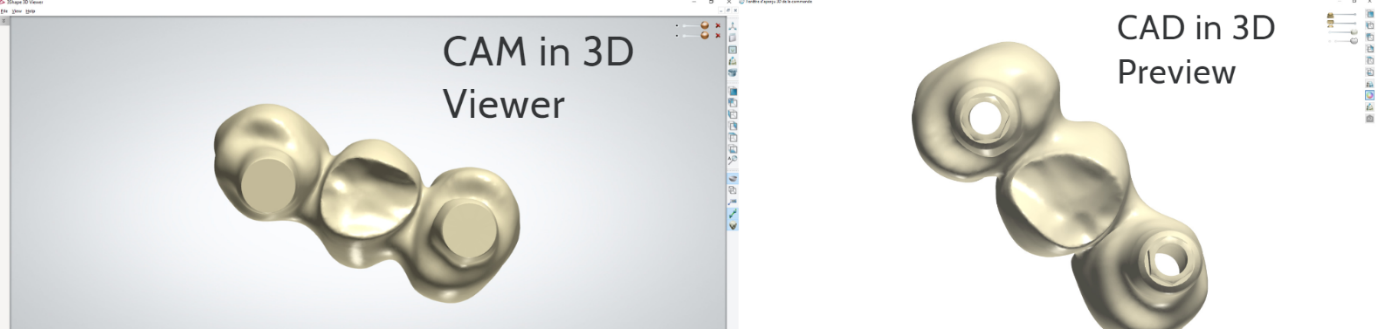
Solution :
- Go to Dental System Control Panel > Implant Systems
- Choose the needed Implant System and Kit and click Edit
- Disable 'Append hole patches' option.
If the kit is locked for editing (the options are grayed-out), this means that it is not allowed for the end-user to modify the settings, in this case, please contact the implant library provider.