"Different time settings" error in 3Shape Unite
09 November 2023 | Updated 27.7.2024
Description of the issue
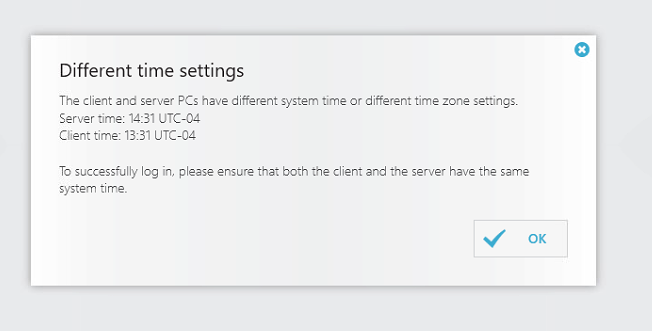
When attempting to log in to 3Shape Unite or Dental Desktop, the following EM pops up:
Solution steps
- Synchronize PC time with the internet, and check if the location and time zone are correct:
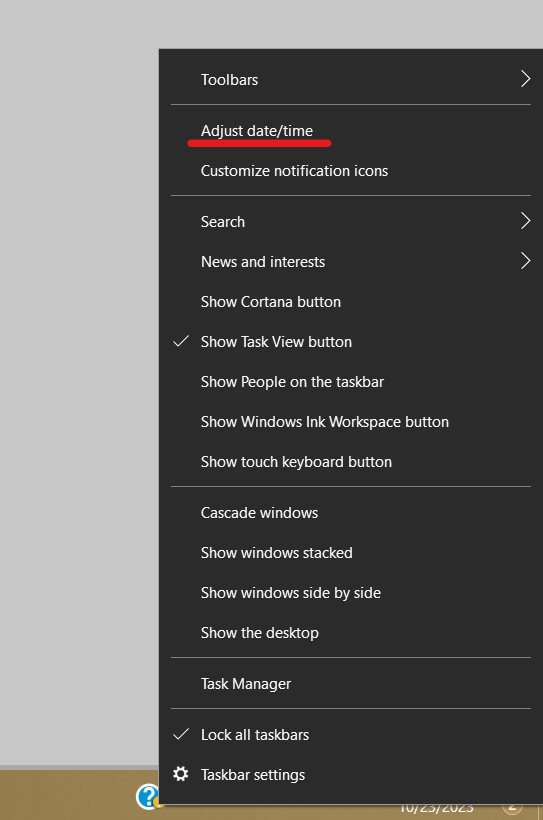
- Right-click on the time and date button on the toolbar and Choose “Adjust Date/Time”
- Make sure your Time zone is correct and below “Synchronize your clock” click on “Sync now”.
- Additionally, you can access through control panel by following the next steps:
- Save the changes.
- Save the changes.