Design step can't be completed in a Smile Design case
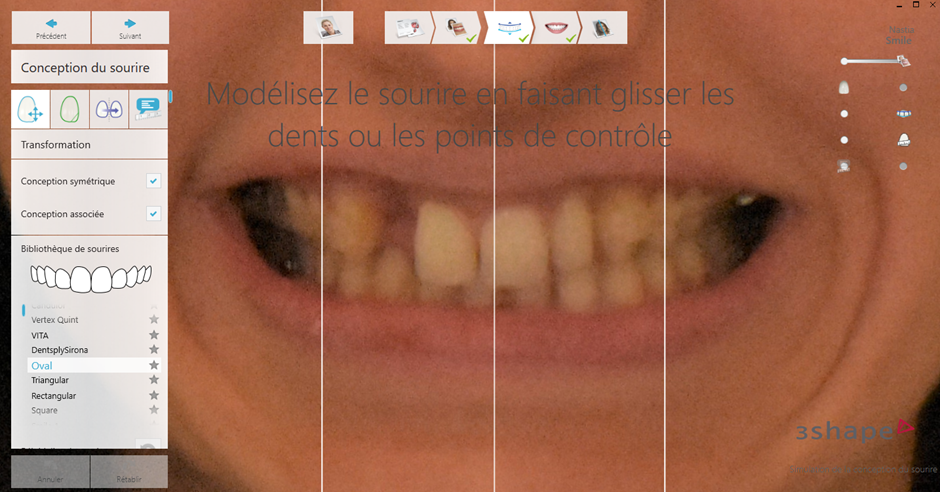
In some cases, it may not be possible to complete the Design step in a Smile Design case workflow because the scan does not contain a detectable teeth frame that can be modified (e.g., tooth size, width, or shape), as shown in the example below.
When attempting to select a smile library from the list on the left, the error message “Data node is not defined” may appear. This issue is typically caused by insufficient image quality in the imported photo or patient data. If the images are too dark, the Smile Design software cannot accurately recognize the tooth area. As a result, adjusting the NVIDIA Control Panel settings or updating the NVIDIA driver will not resolve this issue, as it is related to the input image quality rather than system performance or graphics configuration.
Resolution
Photos should always be taken using a light background with proper lighting in the room, however, if that is not possible, using a 3rd party photo editor application add some light and contrast to the images. This should allow the remainder of the Smile Design workflow to be completed.
Contact 3Shape Support if you have any further questions.