Missing machine/materials in Splint Studio starting from Dental System after upgrading to 3DD 1.7.5.1
08 November 2023 | Updated 8.9.2026
If there is no machine/material available when proceeding with a design from Dental System (2020.1.0) with Splint Studio (in Unite or Dental Desktop v1.7.5.1), effectively blocking the completion of the workflow (pictured below), try the following options to resolve the issue:
Option 1: Open Splint Studio under Dental Desktop/Unite, not using the integration with Dental System.
Option 2: Update to a version of Splint Design higher than R1.0.11 (1.1.3.6).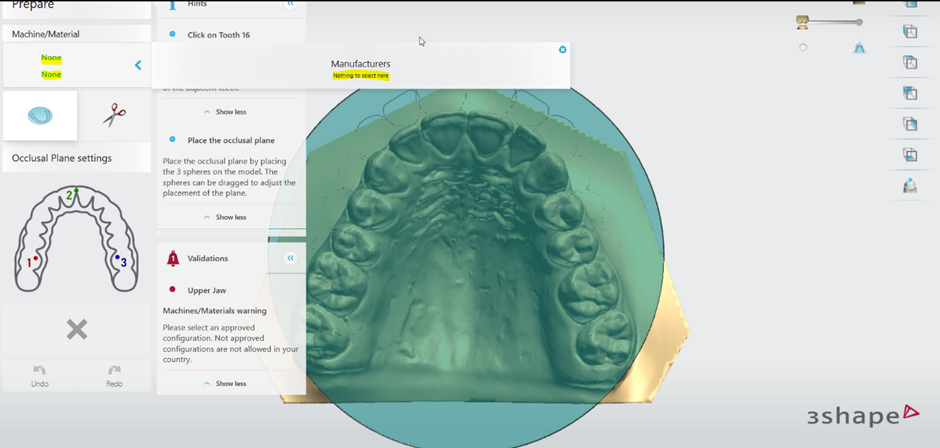
Contact 3Shape Support if you have any further questions.
For full information on correct usage consult the official Safety and Setup Guide and the most current Manual.