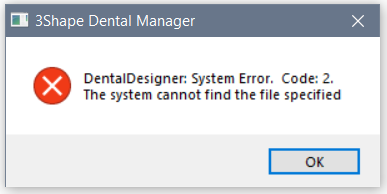
"DentalDesigner: System Error. Code: 2. The system cannot find the file specified." when trying to design a scanned order
09 November 2023 | Updated 27.7.2024
Issue when opening a scanned order
When trying to open a scanned order in Dental Designer there may be an error message: "Dental Designer: System Error. Code: 2. The system cannot find the file specified.":
Affected DS versions: potentially any version.
Root cause: The path to the Dental Designer application is missing or incorrect.
Solution:
- Go to Dental System Control Panel > System Settings;
- Check that path to Dental Designer is leading to the relevant folder (C:\Program Files\3Shape\DentalDesigner for standalone installation and \\PCNAME\3Shape Dental System\DentalDesigner for server-client installation), and the DentalDesigner application appears as “installed” under details in the left-hand menu;
- Save the changes and restart Dental Manager.
Was this article helpful?