Invalid Boundary (Boundary.Count=2) on the Virtual Base Creation step
07 November 2023 | Updated 27.7.2024
Handling “holes or artifacts” errors in scans
This error appears if scans contain holes or artifacts within the spline area (i.e. on teeth)
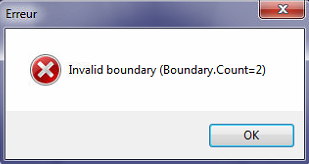
Solution: Try to correct the spline avoiding holes if it's possible or use any third-party software to close holes and remove artifacts.
Was this article helpful?