How to adjust TRIOS scanning sound volume
09 November 2023 | Updated 17.11.2025
Step 1: To adjust sound in the software select the “More" tab
Step 2: In the dropdown menu select “TRIOS”
Step 3: Next, select “Scan settings”
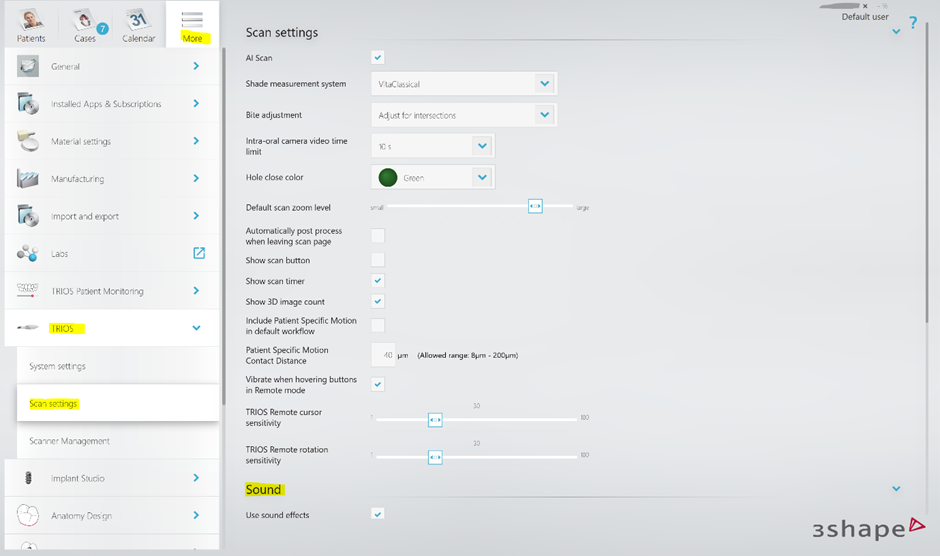
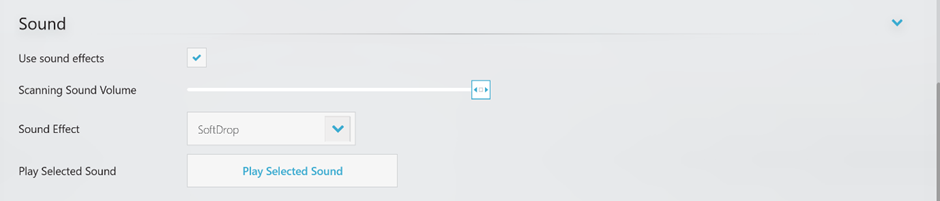
Step 4: Under the “Sound” section of the Scan Settings you will be able to adjust scanning sound volume and change the sound effect.
In case you need assistance please contact 3Shape Support.
Was this article helpful?