How to enable DS-Win integration with 3Shape Unite
Prerequisites for the integration:
- 3Shape Unite 21.1.x or newer is installed.
- DS-Win 21.04.x or newer is installed.
- Both standalone and client-server setups are supported, see Known Limitations.
3Shape Unite and DS-Win (PMS) integration provides automation of patient management in 3Shape Unite from DS-Win (Create, merge, and update patient) and allows you to open 3Shape Unite directly from the patient chart in DS-Win for faster and easier workflows. Read more about DS-Win here.
How to enable the integration in Unite
Follow the steps provided here: How to install "PMS integration" App from Unite Store
How to enable the integration in DS-Win
Please consult DS-Win documentation. The following steps are provided as an aid to set up and use the integration in DS-Win software.
Open DS-Win> go to Einstellungen > Sonstige Einstellungen > VDDS.
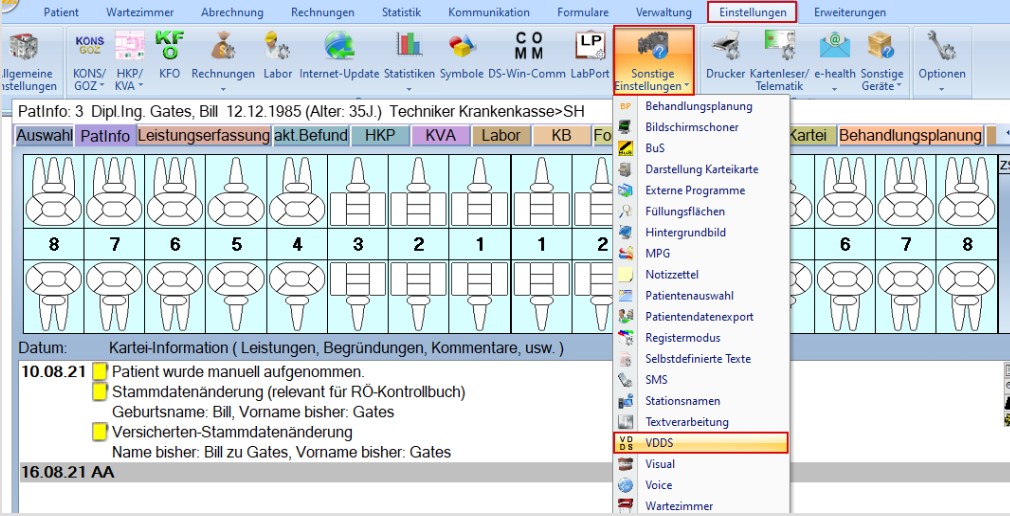
Put a checkmark in every checkbox as seen on the screenshot below.
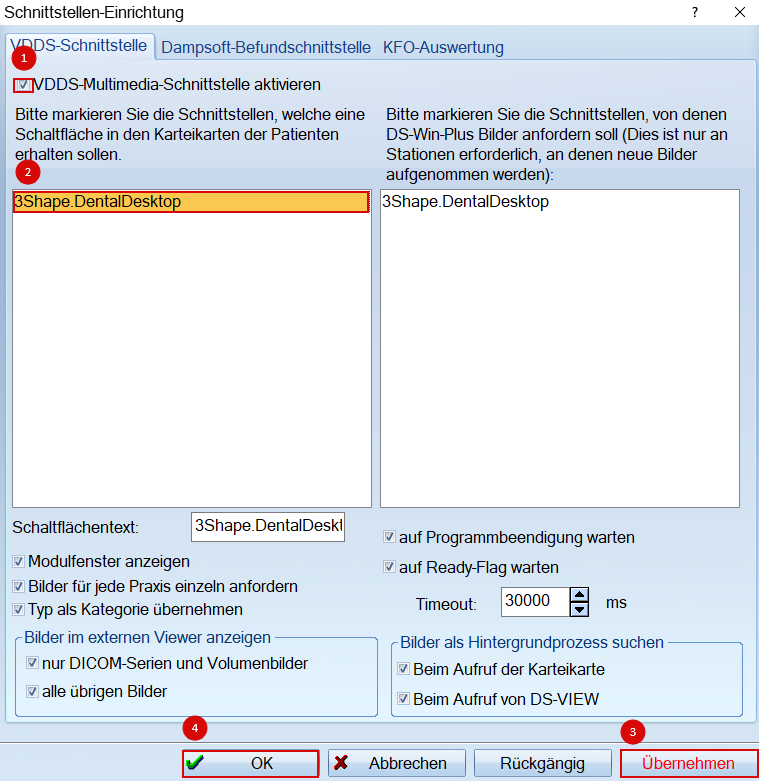
Select 3Shape.DentalDesktop with a double-click.
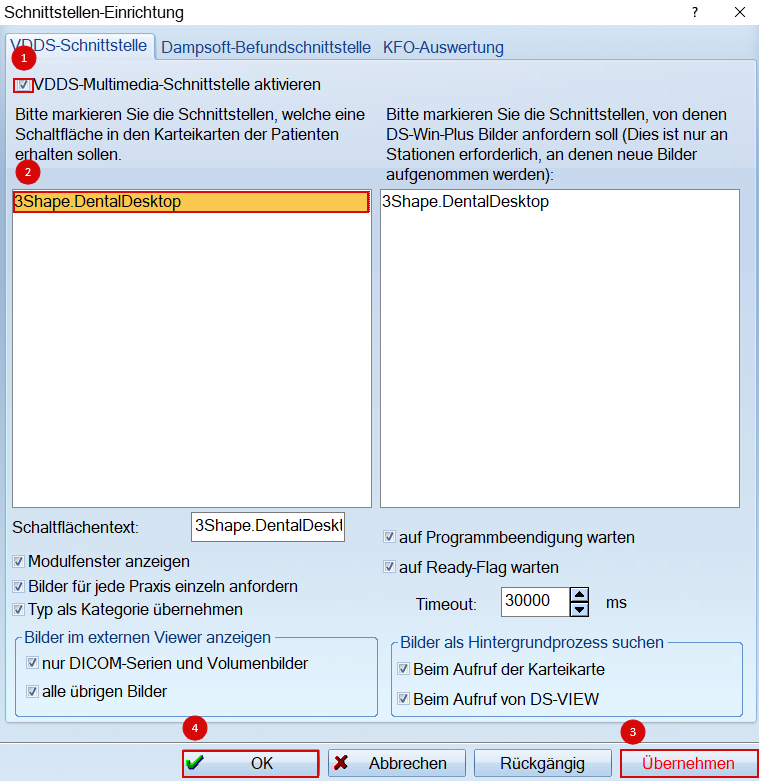
In order to save changes, click übernehmen and then OK.
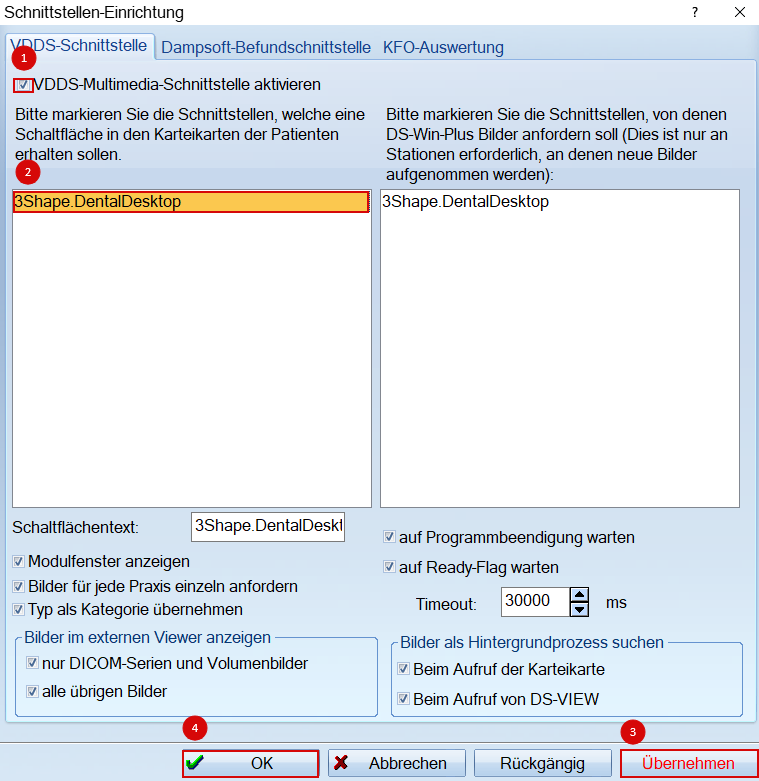
After changes are saved, a 3Shape Unite button will appear in the PatInfo tab.
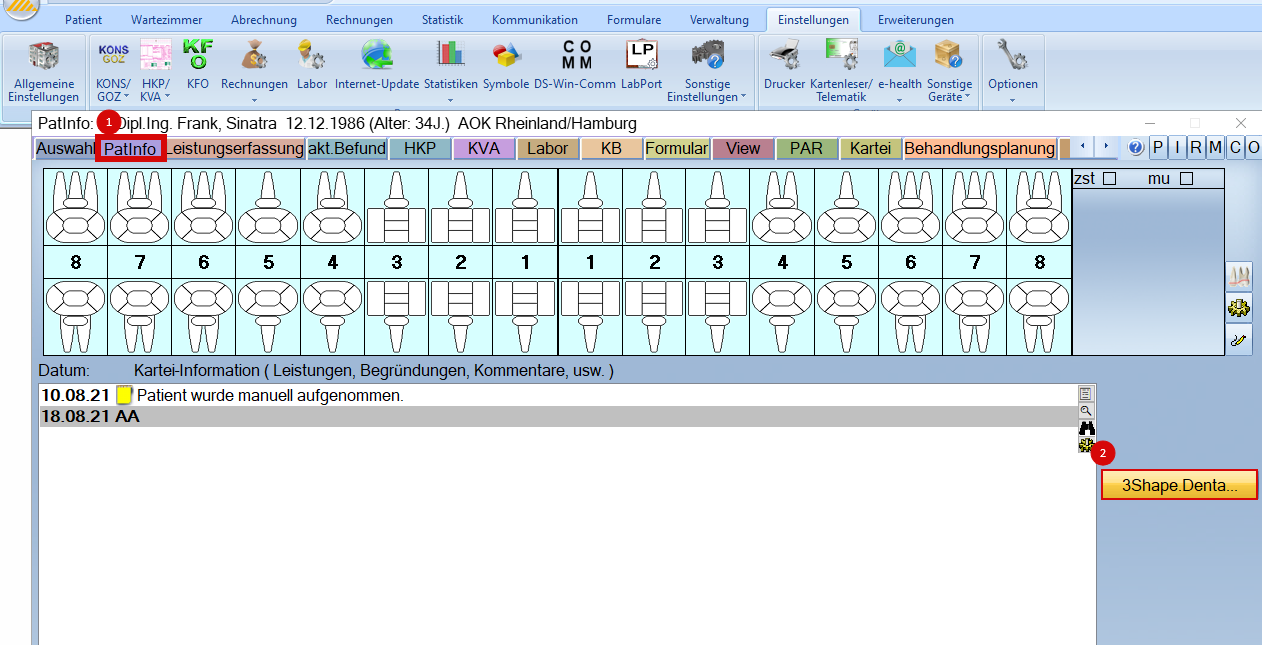
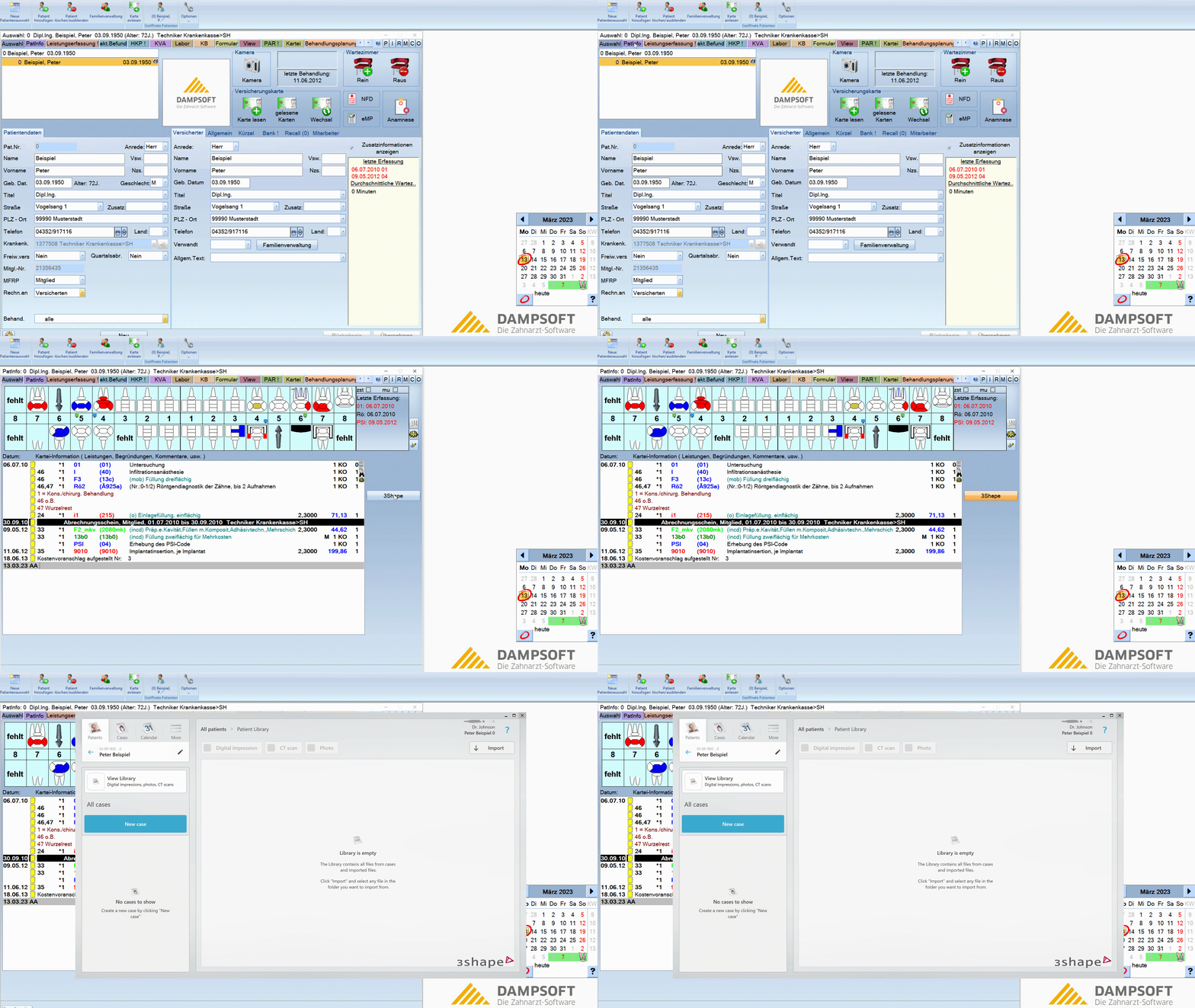
You have now set up the integration:
Known limitations
- Regarding different PMS & Unite setup options and integration on Trios Move, check this article: Practice management system & Imaging system setup overview
- Patient updates are only propagated from DS-Win to 3Shape Unite. Not the other way around.
Contact 3Shape Support if you have further questions.
For full information on correct usage please consult the official Safety and Setup Guide and the most current Manual