How do user manuals in Dental System 2019 and above work
08 November 2023 | Updated 27.7.2024
Accessing Technical Documentation and User Manuals in DS-2019 and above
In DS-2019 there has been a change to the user manuals and now there are 2 documents available when pressing the F1 key:
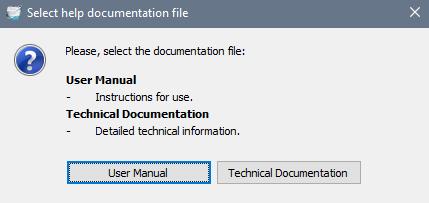
Technical documentation (Lab Solution) - this is a short version with CE mark:
- Available in the following languages: English, Chinese, French, German, Greek, Italian, Korean, Polish, Portuguese (BR), Russian and Spanish.
- Will open on a respective workflow page when pressing F1 in different parts of the software.
User manual - this is a full user manual (same as in the previous DS versions):
- Available in the following languages: English, Bulgarian, Chinese, Croatian, Czech, Danish, Dutch, Estonian, Finnish, French, German, Greek, Hungarian, Italian, Japanese, Korean, Lithuanian, Norwegian, Polish, Portuguese (BR), Romanian, Russian, Serbian, Slovak, Slovenian, Spanish, Swedish and Turkish.
- Will always open on the start page no matter where you press F1 in the software.
- There are two separate ones for Dental System and Lab Scanners.
Was this article helpful?