Dental System Communicate synchronization failed or not responding
06 November 2023 | Updated 16.12.2025
In Dental System 2019 and above there may be issues with synchronizing 3Shape Communicate Inbox or configure 3Shape Communicate integration due to the service not responding or not being able to start. The error may appear in the following prompts:
- Error message during synchronization of 3Scom Inbox
"Synchronization failed. Service "3Shape Dental System Communicate "seems not started on [PC_NAME]. Please start the service and try synchronization again."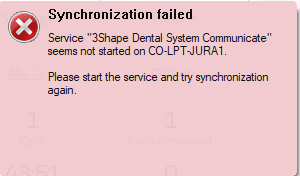
- Error messages when configuring 3Shape Communicate integration in Dental System Control Panel
"Unable to save your changes. 3Shape Dental System Communicate service does not respond on localhost:27030. Details: Socket error #10061 Connection refused".

Solution
Start the 3Shape Dental System Communicate service manually by:
Step 1: Press Windows + R and run the following command: services.msc
Step 2: In the Services window find 3Shape Dongle Service and press the 'Restart' button
Step 3: Reboot the PC – the service should restart automatically
If the service fails to start after the PC reboot or cannot be started manually, contact 3Shape Support.
Was this article helpful?