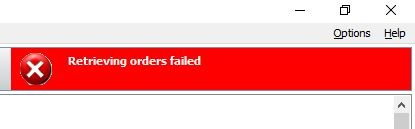
"Retrieving orders failed" in Dental System Communicate Inbox
08 November 2023 | Updated 27.7.2024
New orders do not arrive from the Portal and the message "Retrieving orders failed" is displayed in the upper-right corner of Dental System Communicate Inbox.
Affected DS versions: potentially all versions.
Possible root cause: Some orders in Communicate Inbox directory are not valid for this version of Dental System
Solution:
- Go to Communicate Inbox directory (C:\3shape\3ShapeCommunicate\Inbox by default)
- Look for the order folders of the orders that are not present in DS Communicate Inbox
- Verify if the scans can be obtained from there
- Contact 3Shape support if it doesn`t help
Was this article helpful?